订阅卫士 SubGuardOffline subscription tracker and renewal reminder for Android
SubGuard is an open-source, fully offline Android app for tracking auto-renewing subscriptions: it records the memberships you pay for and reminds you before every charge, so you can cancel the ones you no longer want in time. It requests no network permission and keeps all data on the phone. Subscription details can be filled in from a screenshot of a receipt, and billing dates can be added to the phone's calendar.
Android 7.0+ · about 11 MB · free and open source (MIT) · no network permission · Chinese-only interface
Screenshots
Features
Track subscriptions
Name, amount (CNY, USD or HKD), monthly / quarterly / yearly cycle and next billing date, plus a cancellation link and steps.
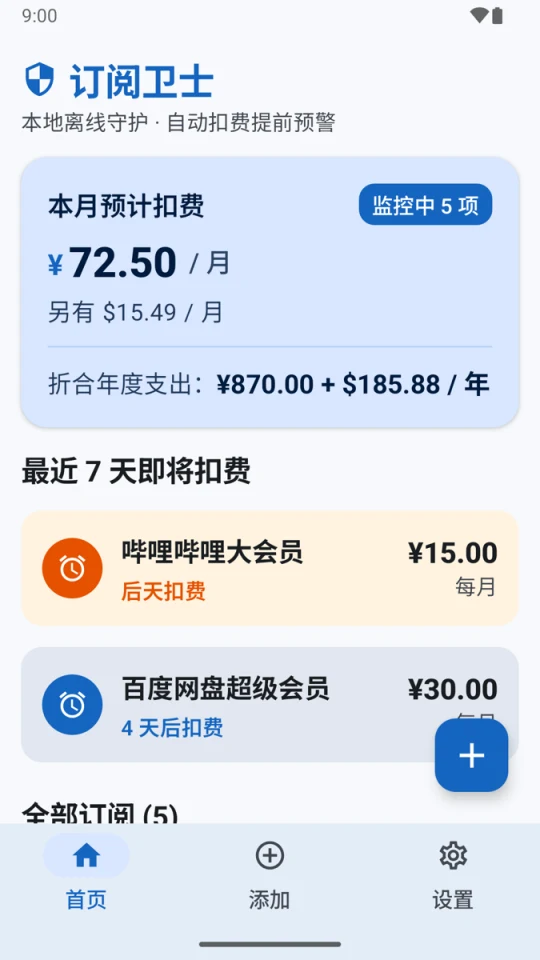
Overview
Expected charges for this month and this year, totalled per currency, and the subscriptions renewing within 7 days.
Charge reminders
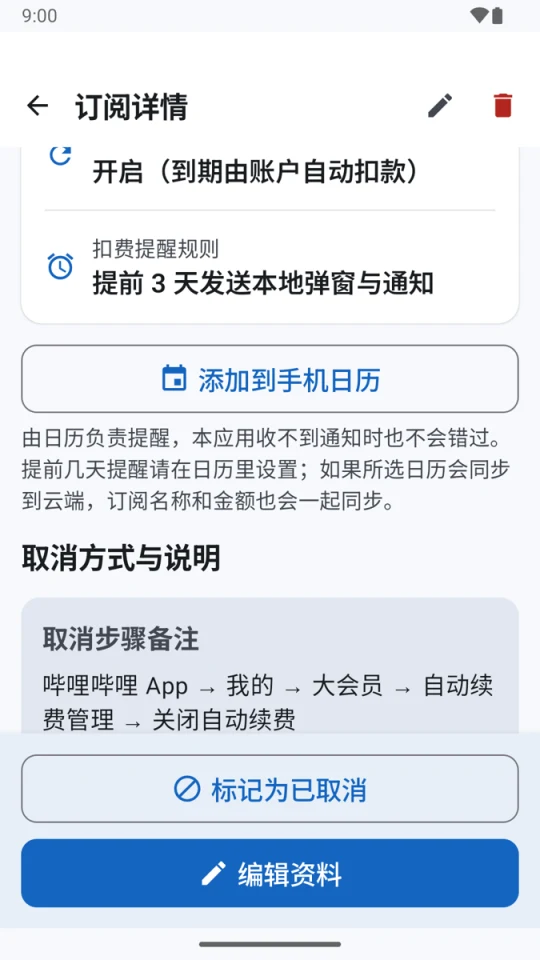
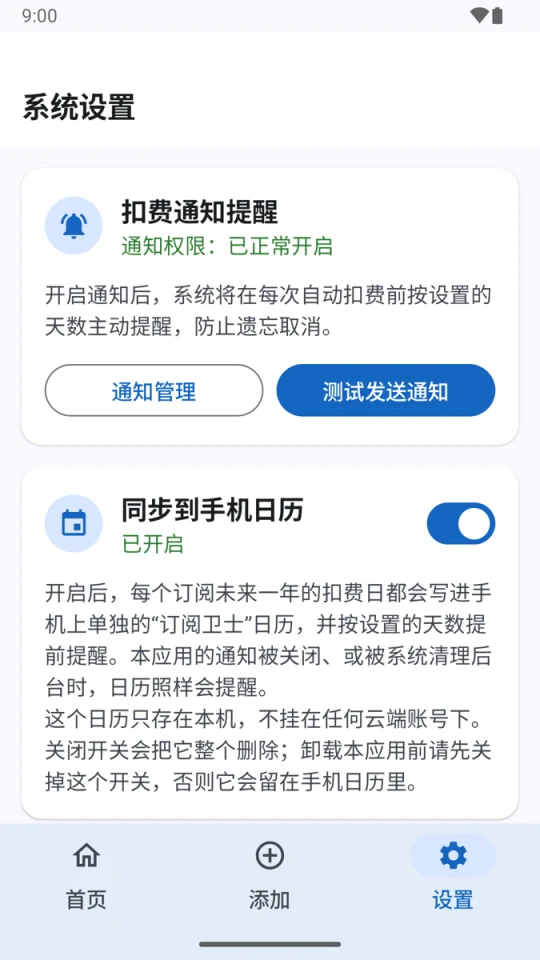
A local notification 1, 3, 7 or 14 days before each charge; tap it to open the subscription. Auto-renewing billing dates roll forward after they pass.
Phone calendar
Add a charge to your calendar app in one tap, or turn on sync to write the next 12 months of billing dates to a separate calendar with reminders.
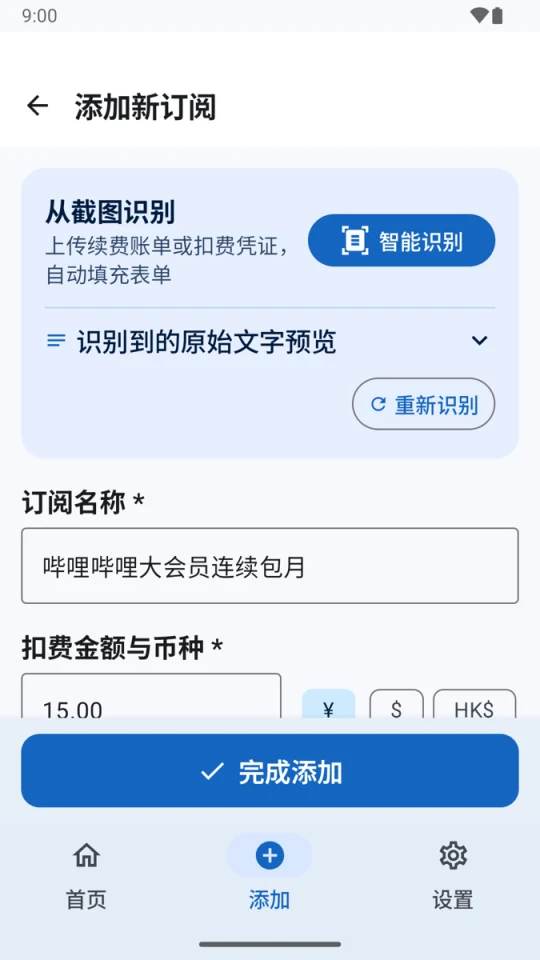
Screenshot recognition
On-device text recognition fills in the name, amount, cycle and date from a receipt screenshot; pick a candidate when a field is misread.
Large type
Body text is at least 16sp and titles at least 20sp, for older users.
Supported phones
Works
- Android 7.0 or later on an ARM processor: Xiaomi / Redmi, OPPO / OnePlus / realme, vivo / iQOO, Honor, Samsung, Pixel and others
- Phones without Google services (common in mainland China)
- Huawei HarmonyOS 4 and earlier
Does not work
- Android 6.0 or earlier
- Huawei HarmonyOS NEXT (HarmonyOS 5 and later), which cannot install any APK
- x86 devices (mostly Android emulators on PCs)
FAQ
Does SubGuard need internet access? Does it upload my data?
No to both. The app does not request the INTERNET permission, so it cannot connect to the network. Subscription data is stored only in a local database on the phone, and Android cloud backup is turned off. Screenshot recognition uses Google ML Kit models bundled in the APK and runs entirely on the phone.
Can it cancel subscriptions for me?
No. SubGuard records subscriptions and reminds you; cancelling has to be done on the service's own platform. Each subscription can store a cancellation link and cancellation steps to follow when the reminder arrives.
Why did a reminder arrive late or not at all?
Xiaomi, Huawei, OPPO, vivo and other Android skins restrict background work, which can delay or block notifications. Set SubGuard's battery policy to "No restrictions" and allow autostart (the app's settings page links to these system settings), or turn on "Sync to phone calendar" so the system calendar delivers the reminders.
Does it work without Google Play services?
Yes. The text-recognition model is bundled in the APK and does not depend on Google Play services. It was tested on an Android 14 emulator with no Google components at all: screenshot recognition, charge notifications and calendar sync all worked.
Does it work on Huawei HarmonyOS?
HarmonyOS 4 and earlier can install and run it. HarmonyOS NEXT (HarmonyOS 5 and later) has no Android runtime and cannot install any APK, so SubGuard does not run there.
Is the app available in English?
No. The interface is in Chinese only; this page and the README are available in English.
Which screens can screenshot recognition read?
The rules are tuned on real screenshots of Google Play's subscription page and on constructed samples of WeChat Pay receipts. They extract the name, amount, currency, billing cycle and next billing date. Alipay, the App Store and other screens have not been tested yet; when recognition gets something wrong, pick a candidate or edit the field.
Which currencies are supported?
Chinese yuan (CNY), US dollar (USD) and Hong Kong dollar (HKD). The app is offline and has no exchange rates, so totals are shown per currency.
Does calendar sync send my data to the cloud?
Automatic sync writes only to a separate calendar under an on-device local account that belongs to no cloud account. With "Add to phone calendar", you choose the calendar in your calendar app; if it syncs to a cloud account such as Google or Xiaomi, the subscription name and amount are uploaded with it.
How do I install and update it?
Download the APK from the GitHub Releases page. The app is offline and cannot check for updates itself: watch the repository's releases on GitHub (Watch → Custom → Releases) or track them with a tool such as Obtainium. Install a new version over the old one to keep your data.
How can I verify the APK has not been tampered with?
Every release is signed with the same certificate, whose SHA-256 fingerprint is b4f99528a9c2bd045058116a99b7e72bc8dfd11985cc3d74d2bcbaeb4e7ead8d. Check it with apksigner verify --print-certs from the Android SDK.
Is it free?
Yes. SubGuard is free and open source under the MIT license.
Privacy
- No network permission; no data ever leaves the phone.
- Data stays in a local database with cloud backup turned off; no accounts, no analytics.
- The calendar permission is requested only when calendar sync is turned on, and the app writes only to its own local calendar.
- This page loads no external resources and has no analytics either.